What Is CMS In Web Design & Development
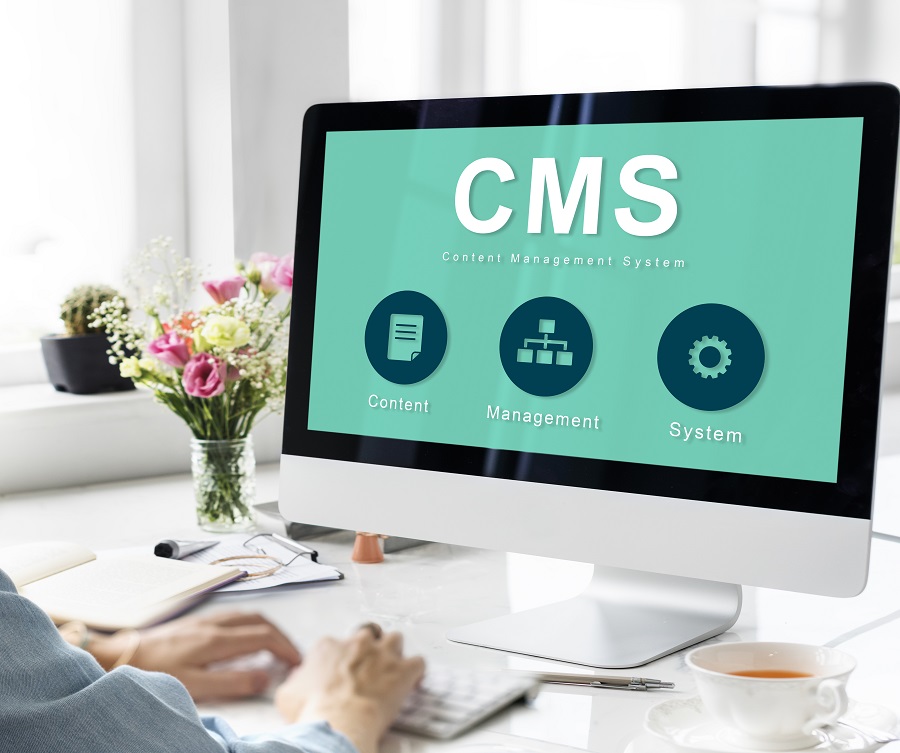
When you design or manage a website, a CMS quietly shapes almost everything you do online. It lets you add pages, update text, change images, and publish new content without touching complex code. You work with familiar screens and buttons while powerful tools run in the background. But a CMS isn’t just about convenience—it affects your site’s speed, security, SEO, and future growth in ways you might not expect…
Key Takeaways
- • A CMS (Content Management System) is software that lets you create, edit, and publish website content without needing to code.
- • It separates content from design, using templates and a database so text, images, and videos can be updated easily.
- • Popular web CMS platforms include WordPress, Joomla, Drupal, Wix, and cloud-based tools like Squarespace.
- • CMSs support collaboration, permissions, SEO tools, and workflows, helping teams manage and optimize websites efficiently.
- • Advanced options like headless and enterprise CMS integrate via APIs, scale for high traffic, and connect with marketing and analytics platforms.
What Does CMS Stand For In Web Design and Development?
In the context of web design and development, CMS stands for Content Management System.
This is a type of software application that facilitates the creation, modification, and publication of website content without the need for direct coding.
Commonly used CMS platforms include WordPress, Joomla, and Drupal, which allow users to update text, alter images, and add new pages through a user-friendly interface.
WordPress, in particular, is noteworthy for powering a significant portion of the world's most-visited websites.
Additionally, CMS platforms can be found in enterprise settings, where providers like Optimizely offer solutions that integrate content, data, and presentation management.
A contemporary approach within this domain is the headless CMS, which separates the content management back-end from the front-end presentation layer.
This allows for greater flexibility in delivering content through application programming interfaces (APIs), enabling content to be utilized across various platforms and devices efficiently.
Top CMS Platforms to Consider
When selecting a Content Management System (CMS), it's important to evaluate the attributes of the main platforms and how they align with your objectives.
WordPress, for instance, is utilized by over 43.6% of top websites. It offers a free core system complemented by a vast array of plugins, enabling extensive customization.
Wix offers setup wizards, industry-specific templates, and a free plan, which is beneficial for users without coding skills. Squarespace provides visually appealing templates, catering to creatives and small businesses.
Shopify is tailored for e-commerce, offering integrated payment systems and store management capabilities for over a million businesses. Joomla, being open source, offers flexibility and is well-suited for complex, community-focused projects of various sizes.
A good approach for companies like construction or pool contractors is to pick a company that specializes in web design using one of those systems. For instance, Ready Artwork works with WordPress and offers comprehensive solutions for the needs of big and small businesses. You can learn more about their offers here:
https://www.readyartwork.com/web-design/pool-builders/
Core Functions of a Content Management System
A Content Management System (CMS) fundamentally provides functionalities that enable users to create, manage, and deliver digital content efficiently without the need for direct coding.
Users can input text, images, and videos through a visual editor, allowing for easy updates and modifications.
The system supports collaborative work by offering permission settings that define who can edit specific content areas.
The CMS organizes content within a structured database, utilizing categories, tags, and metadata to facilitate scalability.
Design elements are managed separately from content through templates and themes, which help maintain consistent layouts throughout a site.
The CMS also includes revision history features, which document all changes made to the content, allowing for easy tracking and management.
Additionally, robust search and indexing capabilities are integrated to enable quick retrieval and updates of content across the website.
Types of CMS Used in Web Projects
When selecting a CMS for a web project, it's essential to consider the different types available, each designed to meet specific requirements and scales. A Web Content Management System (WCMS) facilitates the creation and updating of web pages without the need for coding skills. WordPress is a prominent example, accounting for over 40% of websites globally.
For large organizations, Enterprise Content Management (ECM) systems are suitable as they handle extensive document management, media, and approval workflows efficiently.
Headless CMS platforms differ by providing content through APIs, enabling the development of custom front-end solutions. This approach is beneficial for projects requiring flexibility and scalability. Component Content Management (CCM) systems focus on dividing content into reusable components, which is advantageous for technical or dynamic websites that need consistent updates and maintenance.
Moreover, cloud-based CMS solutions, such as Squarespace, offer integrated hosting, security, and update services. These are particularly advantageous for small to medium-sized projects that don't require substantial IT resources. Each CMS type presents unique benefits that should be weighed against the specific needs of the project to make an informed decision.
How a CMS Works Behind the Scenes
To understand the functionality of CMS platforms, it's essential to recognize their underlying components. Each CMS consists of two primary systems. The Content Management Application (CMA) is the user interface, allowing users to create, edit, and organize content such as pages, posts, and media without interacting directly with the code. This content is then stored in a database. Conversely, the Content Delivery Application (CDA) retrieves this stored content, applies the necessary templates, and generates the web pages as they appear to visitors.
Features such as indexing enable users to efficiently search content by keyword, date, or tag, enhancing content retrieval processes. Revision history is another critical feature, as it records edits, providing the capability to revert to previous versions if necessary. Additionally, CMS platforms often employ scalable, cloud-based infrastructure to optimize database queries and handle high traffic demands effectively.
Key Benefits of Using a CMS for Your Website
A contemporary Content Management System (CMS) provides an efficient method for constructing and managing a website without the necessity of directly interacting with code.
This capability is a significant factor behind platforms like WordPress supporting over 40% of websites globally.
A CMS allows users to independently launch pages, adjust layouts, and update content, reducing reliance on developers for routine tasks.
It also facilitates collaboration by enabling team members to access a unified dashboard, allowing for simultaneous content editing with minimized errors.
Additionally, integrated SEO tools and plugins assist in optimizing elements such as titles, meta tags, URLs, and overall site structure.
Users can schedule posts, implement updates promptly, and scale their operations effectively—from a basic blog to a high-traffic business website—ensuring that growth remains manageable.
Choosing the Right CMS for Your Business Needs
Before selecting a Content Management System (CMS), it's important to align the platform's capabilities with your business objectives, budgetary constraints, and team expertise.
Begin by assessing the costs involved, which include software licenses, hosting services, domain registration, development expenses, and ongoing maintenance.
Following this, it's essential to identify the types of content your business will handle and establish workflows accordingly.
For websites that require dynamic content, consider a Web Content Management System (WCMS), whereas an Enterprise Content Management (ECM) system is more suitable for managing various forms of data, including documents and videos, whether structured or unstructured.
Ensure that the chosen CMS can integrate effectively with existing marketing tools and analytics platforms.
Ease of use is another critical factor, with features such as drag-and-drop editing enhancing user experience.
For organizations with larger teams, it's advisable to focus on scalability, support for Single Sign-On (SSO), and the capability to integrate with digital experience platforms like Optimizely.
These features can facilitate growth and help maintain high standards of content quality.
Conclusion
When you use a CMS for web design and development, you simplify everything from content creation to long-term site management. You don’t need to be a developer to launch a professional, scalable website that looks great and performs well. By choosing the right platform, planning your structure, and using built-in tools wisely, you’ll keep your site flexible, secure, and easy to update—so your website can grow right alongside your business.